
A real estate CRM for agents in Nigeria should help you remember who asked about a property, what they need and what you agreed to do next. Many small agencies first need something more basic: an enquiry that stays attached to the right listing. Cabans covers that starting point through its listing enquiries and chat. See the full free real estate software for agents before deciding whether you also need a separate CRM.
This guide explains how to organise an enquiry, qualify the requirement, share responsibility and avoid losing a conversation. It also draws a clear boundary. Cabans is not a pipeline CRM. A business that needs deal stages, scheduled sales tasks, automated sequences or revenue forecasts should assess a separate system for those needs. An inbox and a sales pipeline solve different parts of the job.
What a real estate CRM needs to do for your agency
Start with the problem you can describe, rather than a long software checklist. Perhaps you receive messages while travelling to a viewing and forget to reply. Perhaps two colleagues contact the same prospect with different information. Or a person asks about a flat from an old social post and nobody can identify the property. Write down those failures before choosing a tool.
A useful minimum record contains the enquiry source, the property, the requirement, the last response, the person responsible and the next action. Some of that context belongs in the conversation; a timed reminder may belong in your diary. Do not assume a tool includes a feature simply because its marketing calls it a CRM. Ask to see the exact workflow you expect your team to use.
Before publishing, inspect the experience from a prospect's side. Search available properties in Abuja and read a few listings as a tenant would. Notice how location, payment terms and useful photographs change the questions you need to ask. Your own listing should supply that context before the first message.
1. Keep each property enquiry with its listing
A message that says only “Is it available?” is difficult to answer when you advertise several flats. Cabans lets a buyer or tenant enquire from the listing and continue in chat. Start by reading the property context, checking current availability with the owner and answering the question directly. Do not immediately switch the person to another property without explaining what happened to the first.
Problem: Separate messages leave the team guessing which property a person means.
Cabans feature: Listing enquiries and chat keep the conversation tied to the property.
Result: You start with relevant context and can give a precise answer from one inbox.
Treat the conversation as a record of what was actually said. If you later discuss a viewing by phone, confirm the agreed details in writing through the channel the client uses. Keep the message concise: identify the property, the agreed time and any information still to be confirmed. Cabans does not arrange the viewing for you; you and the client agree the practical arrangements.
2. Qualify the requirement before suggesting a viewing
A quick reply is useful only if it moves the enquiry forward. Ask which area the person can consider, what property type they need, their budget, their intended move date and the features they cannot do without. For a tenant, the total move-in requirements matter as well as the advertised rent. For a buyer, distinguish an early search from a request to inspect a particular property.
Avoid sending a long questionnaire before answering the original question. Ask what is necessary for the next step and explain anything that needs checking with the owner. You do not need identity documents simply to answer whether a flat has parking. Handle any documents required later through an appropriate process, with a clear purpose and restricted access.
A simple first response might be: “Thank you for asking about this flat. I am confirming availability with the owner. Is this area suitable for you, and when would you want to move?” This acknowledges the enquiry without promising an unconfirmed viewing. Use templates as a starting point, then adapt them to the property and the person's actual question.
3. Keep your own next-action reminders
An inbox records a conversation; it does not by itself decide when to follow up. At the end of a useful exchange, agree the next action. That could be confirming a viewing, asking the owner about a repair, or sending a suitable alternative after the person has explained their requirements. Record who will do it and when in your own calendar, task list or pipeline CRM.
Do not build a workflow around reminders, automated sequences or CRM integrations that have not been shown to you. This guide makes no claim that Cabans provides them. If your agency needs an automatic hand-off to another system, check that separately before relying on it. A small, reliable manual routine is more useful than an imagined integration that leaves enquiries unattended.
Review the next-action list at the start and end of your working day. Follow up with relevant information and respect a request to stop. Someone who has already found a home does not need the same advert repeatedly. Better records should help you send fewer irrelevant messages, as well as helping you remember the people waiting for an answer.
4. Keep the property information current
Your follow-up suffers if the underlying advert is wrong. Keep a clear source for the owner's asking terms and update the listing when they change. If you cannot confirm availability, pause the listing while you check. Remove it when your instruction ends or the property is no longer being marketed through your agency. Keeping an old advert visible creates avoidable conversations and distrust.
Problem: Prospects enquire about properties that have already been taken.
Cabans feature: Edit, pause, mark sold or let, or remove listings from your listing dashboard.
Result: Your team works from a more accurate set of available properties.
Do a regular availability review with the owners who instructed you. Check the terms, photos and contact responsibilities as well as whether the property remains available. An inbox cannot correct an outdated mandate. If you are ready to establish that reliable starting point, list an authorised property on Cabans and check every detail before sharing it.
5. Share responsibility without sharing one login
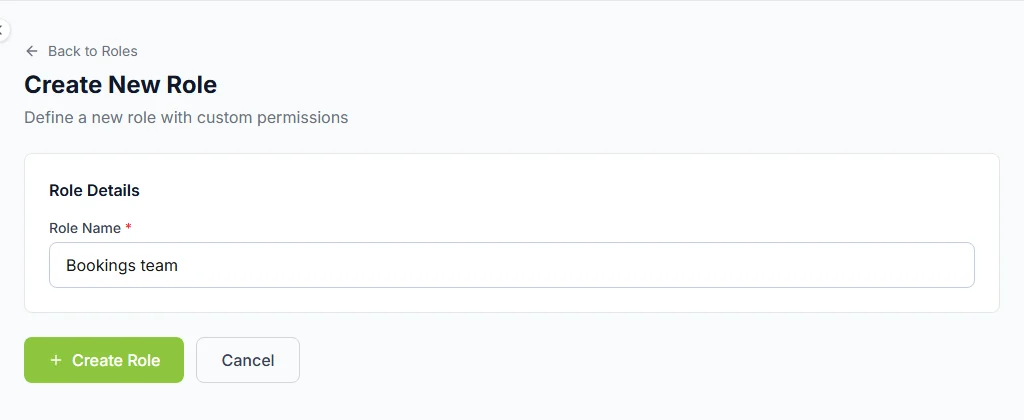
A growing agency needs a clear owner for each next action. Cabans supports team users and roles, so colleagues can have their own access. Choose permissions for the work each person actually does and review them when responsibilities change. Agree your handover routine separately; do not assume an enquiry has been assigned automatically simply because several people can see the business account.
Problem: The business depends on one person's credentials and unclear handovers.
Cabans feature: Add team users and choose their roles.
Result: Staff access can reflect their responsibilities while your own process names the person following up.
A checklist before you choose CRM software for agents
- Can you identify the property behind an enquiry without searching through unrelated messages?
- Does someone check unanswered conversations during your stated working hours?
- Do you keep the next action and its reminder somewhere the responsible person will review?
- Are the owner's availability and asking terms checked before you confirm a viewing?
- Can each colleague use their own access, with permissions reviewed when they leave?
- If you need deal stages or forecasting, have you tested a separate pipeline CRM for that job?
Judge the routine by conversations resolved and promises kept, rather than by the size of a contact list. An enquiry count is not a count of qualified buyers or completed transactions. When interest is weak, inspect listing accuracy and your replies before assuming that more software is the answer.
If you are moving from a personal notebook to a team process, start with a small set of active enquiries. Check that each has the right property, a useful account of the requirement and a clear next action. Agree which system is the reference for reminders so colleagues do not maintain conflicting lists. Keep access limited to the people who need it, and avoid copying more client information than the job requires. Test an ordinary handover: can a colleague understand what was promised and continue the work without making the client explain everything again? Fix that handover before adding more software or importing a large historical contact list. The purpose of the process is a consistent service to the person asking about a home.
Frequently asked questions
Is Cabans a free real estate CRM?
Cabans provides free property listings and an enquiry inbox with chat tied to the listing. It is not a pipeline CRM and does not promise deal stages, sales forecasts or automatic follow-up sequences.
Can an agent use Cabans alongside another CRM?
Yes. Use the Cabans conversation to answer the property enquiry and keep agreed next actions in your own system. This guide does not promise an automatic CRM integration or an export.
Does an enquiry mean a qualified buyer?
No. An enquiry records interest. The agent still needs to understand the person’s requirements, confirm the owner’s instructions and carry out appropriate checks before a transaction.
Build a reliable starting point
Put one accurate listing live, answer its enquiries and keep a clear next action for every useful conversation. Then expand the routine across your agency. Return to the free real estate software for agents hub to see the full scope, or start your next property listing.
Continue with how estate agents can get more leads for a practical marketing routine, and how to start a real estate agency in Nigeria for mandates, registration checks and your first public listings.
Take the next step
Keep your research practical: search for property in Lagos, compare live options for properties in Lagos, or list your property on Cabans to reach active buyers and renters.
Not ready yet? Get an email when new listings go up in Lagos.