Finding and booking
How to find a short let you can book online
The short answer
Open a short let. If you see a box with dates and a price, you can book it online.
Step by step
Step 1: Tap "Short Let" in the top menu.
Or search for the place you want to stay, like Lekki or Wuse 2.
Step 2: Look for the orange "Short Let" badge.
Homes for short stays have this badge. They are the ones you rent by the night.
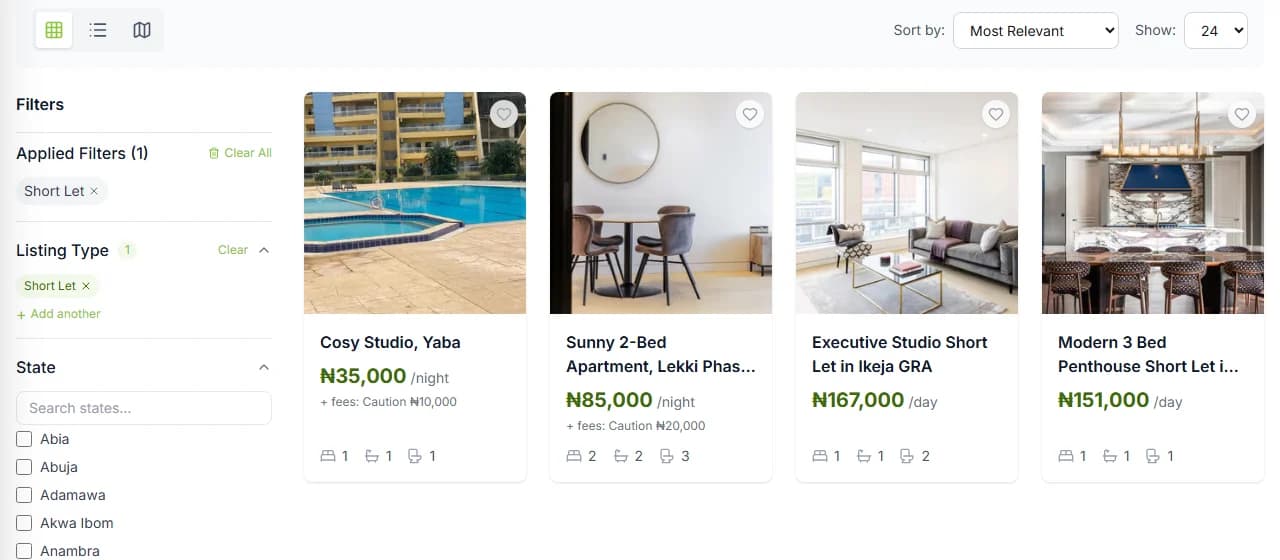
Step 3: Open the home’s page.
Tap the photo or the name of the home.
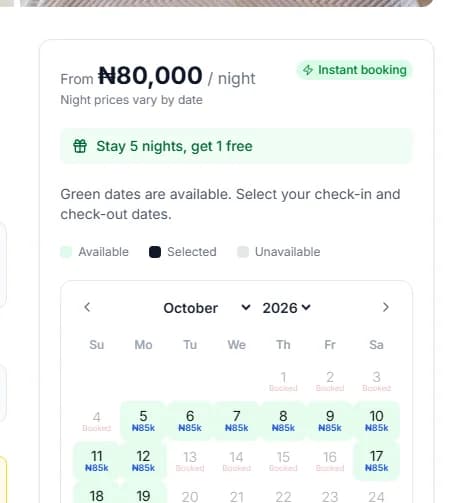
Step 4: Look for the booking box.
On a computer, it is on the right. The price per night is at the top of it.
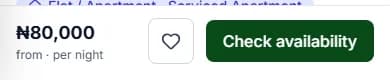
Step 5: On a phone, look at the bottom of the screen.
You see a bar with the price and "Check availability". On a small phone it says "Check dates". Tap it to open "Book your stay".
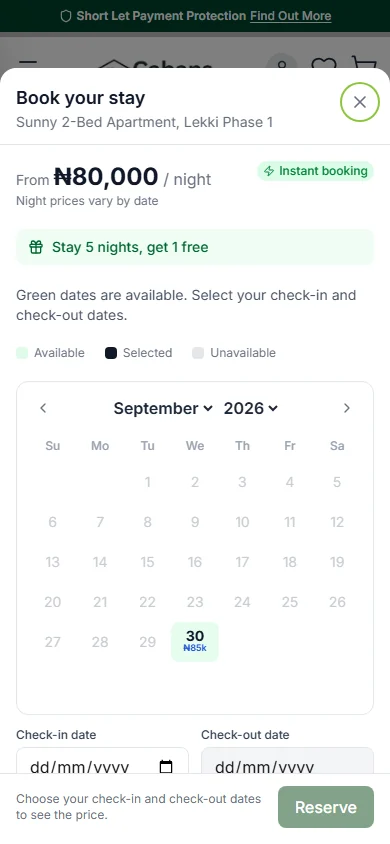
Step 6: Pick another home if there is no booking box.
No box means this home does not take online bookings yet.
Good to know: You can look at dates and prices without an account. You only sign in when you press "Reserve".
Do it now
Is there a filter for homes I can book online?
Not yet. Search shows every short let together.
You find out on the home’s own page. If it has a booking box, you can book it online.
Why do some short lets have no booking box?
You can still read all about the home. You just cannot book it online.
- The host has not turned on "Take bookings online".
- Or the home is not open for bookings right now.
What the booking box tells you
- The price for one night. If nights cost different amounts, it says "Night prices vary by date".
- A badge that says "Instant booking" or "Host confirms". With instant booking, you are booked as soon as you pay. Otherwise the host says yes first.
- A calendar. Green dates are free.
Questions people ask
Can I book every short let online?
No. You can book a home online only when its page shows a booking box with dates and a price.
Where is the booking box on a phone?
At the bottom of the screen. Tap "Check availability" to open it.
Can I search only for instant booking homes?
No, there is no filter for that. Open a home and look at the badge in its booking box.
Do I need an account to look?
No. You can see dates and prices without one. You sign in when you press "Reserve".
Read next
- Finding and bookingHow to check dates and the price for a stayGreen days are free. Tap the day you arrive, then the day you leave. The box shows the full price.
- Finding and bookingHow to reserve your datesPress "Reserve". We keep the dates just for you for 30 minutes while you pay. Nothing is charged yet.
- PayingWhat happens after you paySome homes say yes straight away. Others ask the host first. If the host says no, you get your money back.
More on Cabans
Still stuck?
Tell us what happened. If you have a booking number, add it. Our team will help.
Contact usLast updated