Finding and booking
How to reserve your dates
The short answer
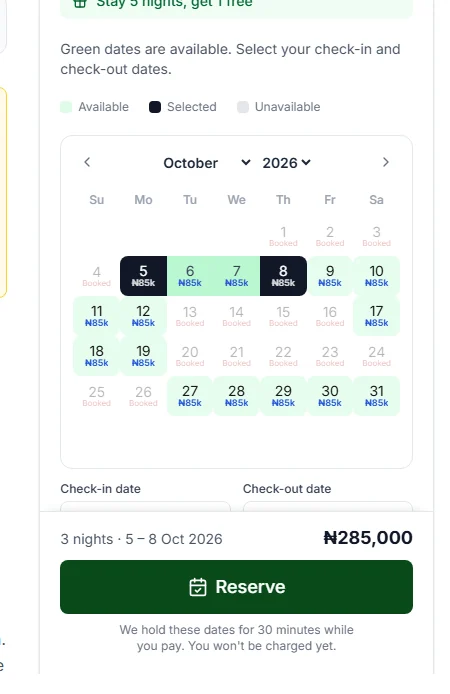
Press "Reserve". We keep the dates just for you for 30 minutes while you pay. Nothing is charged yet.
Step by step
Step 1: Pick your dates and the number of guests.
Do this in the booking box on the home’s page. How to check dates and the price shows you how.
Step 2: Press "Reserve".
Under the button it says: "We hold these dates for 30 minutes while you pay. You won't be charged yet." Thirty minutes is half an hour.
Good to know: Nothing is charged when you press "Reserve". You pay in the next steps.
Step 3: Sign in if we ask you to.
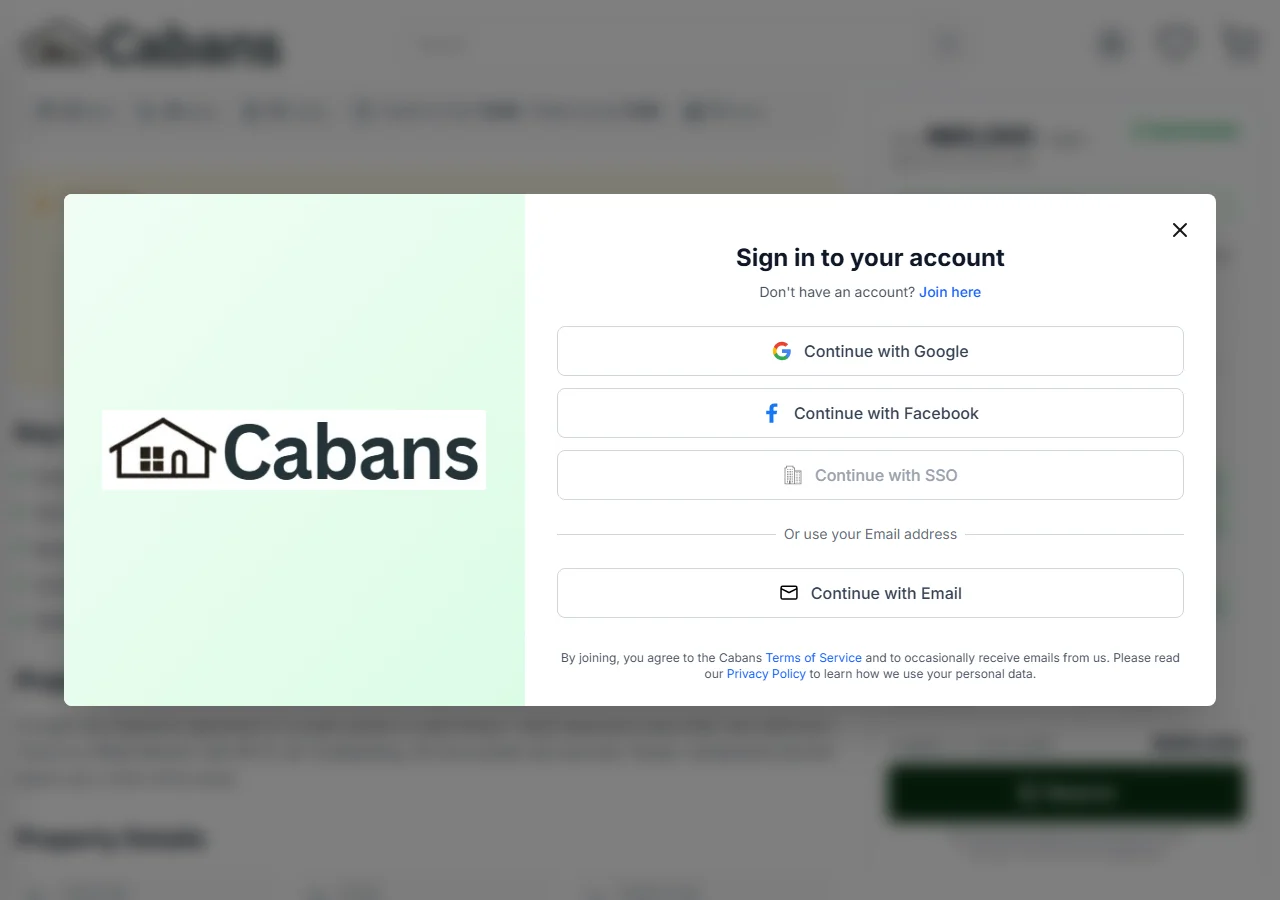
You need an account to reserve. After you sign in, you come back to the same home. Your dates and guests are still filled in.
Step 4: Look at your basket.
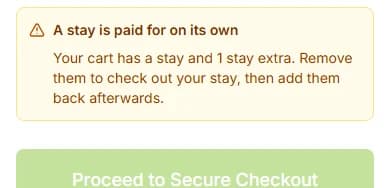
Your stay is now in your basket. The page is called "Shopping Cart".
Step 5: Watch the timer.
It shows how long we keep your dates, like "Dates held for 29:26". That means 29 minutes and 26 seconds are left.
Good to know: In the last 2 minutes the timer turns orange. It says "Almost out of time: check out now to keep these dates."
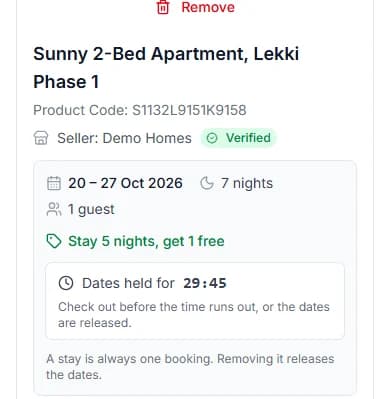
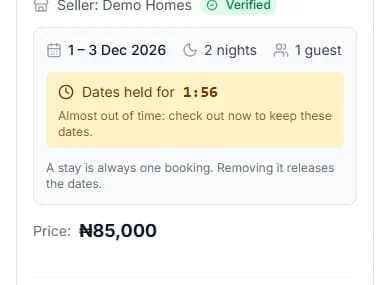
Step 6: Press "Proceed to Secure Checkout" before the timer ends.
Then you pay through Paystack, or pick Pay later. How to pay for your stay shows you how.
Do it now
What if the timer runs out?
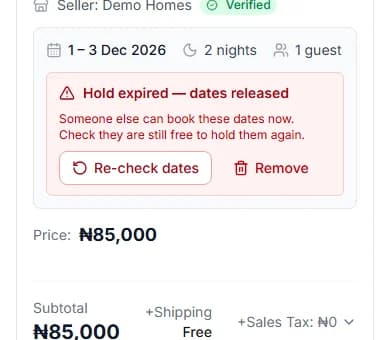
The dates go back on sale. Nothing was charged.
Your basket shows "Hold expired — dates released" in red.
Press "Re-check dates" to go back to the home with your dates. If they are still free, press "Reserve" again. Or press "Remove" to take the stay out of your basket.
Can I pay for my stay and other things together?
No. A stay is paid for on its own.
If your basket has other things in it, you see "A stay is paid for on its own". Press "Save the other item for later". Pay for your stay. Then add the other item back.
Two stays in your basket? Remove all but one. Then book the other stay again from its home’s page.
Messages you might see
If something stops you, the page tells you why. Here is what each message means.
| The message | What it means | What to do |
|---|---|---|
| The message"Someone has just booked some of those nights. Please choose other dates." | What it meansAnother guest booked first. | What to doPick other dates. The calendar shows what is still free. |
| The message"You already have three stays on hold. Pay for or release one of them first." | What it meansYou are already keeping 3 stays. | What to doPress "Go to your cart". Pay for one stay, or remove one. |
| The message"This property is not taking bookings at the moment." | What it meansThe host has paused bookings. | What to doPick another home. Browse short lets. |
| The message"Some of those nights have no price yet, so they cannot be booked. Choose other dates or ask the host." | What it meansThe host has not set a price for those nights. | What to doPick other dates, or ask the host. |
Questions people ask
Am I charged when I press "Reserve"?
No. "Reserve" only keeps the dates for you. You pay at checkout.
How long do you keep my dates?
30 minutes (half an hour). The timer in your basket shows the time left.
Do I need an account to reserve?
Yes. You can look at dates and prices without one. You sign in when you press "Reserve".
Can I keep more than one stay at once?
Yes, up to 3 stays at the same time. To keep another one, pay for one first, or remove one. New dates at the same home replace your old dates there.
What happens if I remove the stay from my basket?
The dates go back on sale. You can reserve them again if they are still free.
Do you email me when I reserve?
Yes. The subject is "Your dates at [home name] are held". It has a "Complete your booking" button. We do not email you when the timer runs out, so keep an eye on it.
Read next
- Finding and bookingHow to check dates and the price for a stayGreen days are free. Tap the day you arrive, then the day you leave. The box shows the full price.
- PayingHow to pay for your stayPick "Pay now with Paystack". Check your stay. Press "Confirm and Pay", then pay in Paystack’s window.
- PayingHow to reserve now and pay laterPick Pay later. You get a bill. Pay it within 2 hours, or the dates go back on sale.
- PayingWhat to do if your payment did not go throughIf the page says nothing was taken, nothing was taken. Read the message, then press the button under it.
More about finding and booking
More on Cabans
Still stuck?
Tell us what happened. If you have a booking number, add it. Our team will help.
Contact usLast updated