During your stay
How to check in when you arrive
The short answer
When you get there, press "I have arrived". Your host gives you the keys, then checks you in.
Step by step
Step 1: Open your stay when you reach the home.
Use My Stays on your phone.
Step 2: Find the card "Arriving".
It asks you to tell your host you are here.
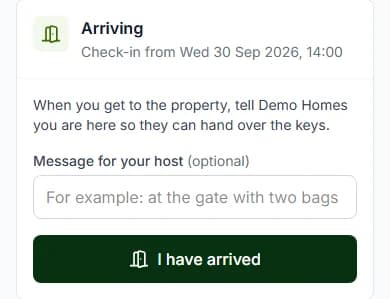
Step 3: Write a note for your host, if you like.
For example, say you are at the gate with two bags.
Step 4: Press "I have arrived".
Your host is told you are here. We email them too.
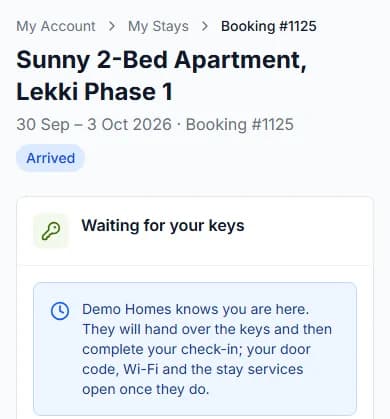
Step 5: Wait for your keys.
The page says "Waiting for your keys". It checks again every 20 seconds, so you do not need to reload.
Step 6: Take the keys from your host.
Then your host approves your check-in. Now you are fully checked in.
Do it now
The two steps of check-in
Your host may do both steps at once. Here is what each one opens for you.
| Your stay says | What you can do now |
|---|---|
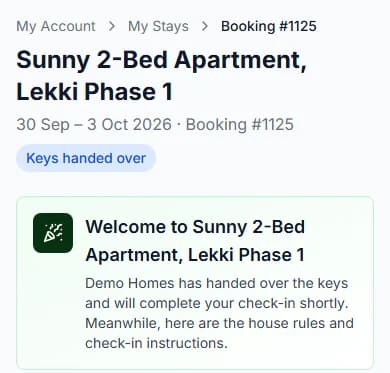
| Your stay says"Keys handed over" | What you can do nowRead your stay guide and house rules. Send your ID. Message your host. Send a request with "Report an issue" or "Something else". |
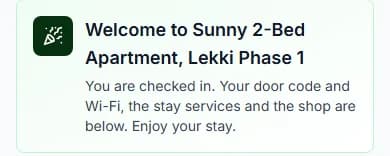
| Your stay says"Checked in" | What you can do nowSee your door code and Wi-Fi password. Use every stay service and the stay shop. See "My bill". Ask to extend your stay. |
When you are checked in
We send you an email. The subject is "You are checked in at [home name]".
Your codes are on your stay page. For your safety, they are never in an email.
Arrived too early?
You can press "I have arrived" from the day before check-in. Before that, the card tells you the first day you can.
Check-in time is on the home’s page, like "Check-in: from 14:00". That means 2 in the afternoon.
Questions people ask
What if I cannot find my host?
Press "Message [host name]" on your stay page. Still stuck? Contact us and tell us your booking number.
Why can’t I see my door code yet?
It shows once your host approves your check-in. Having the keys is not enough.
Do I need to reload the page?
No. It checks again every 20 seconds, so it changes by itself.
Will you email me the door code?
Never. It is only on your stay page, once you are checked in.
Read next
- During your stayHow to see your door code and Wi-Fi passwordOnce you are checked in, tap to see the code. It hides again after one minute to keep it safe.
- During your stayHow to ask your host for help during your stayNeed towels, cleaning or a fix? Pick what you need, write a note and send it to your host.
- Before you arriveHow to send your ID when a host asksSome homes ask for your ID. Add a clear photo of it. Only your host and our team can see it.
- During your stayHow to extend your stayPick a new check-out date and ask your host. If your host says yes, pay for the extra nights. Then your stay is longer.
More about during your stay
Still stuck?
Tell us what happened. If you have a booking number, add it. Our team will help.
Contact usLast updated