During your stay
How to see your door code and Wi-Fi password
The short answer
Once you are checked in, tap to see the code. It hides again after one minute to keep it safe.
Step by step
Step 1: Open your stay.
Step 2: Find the card "Door code and Wi-Fi".
It says "Kept private: shown only when you tap, and hidden again after a minute."
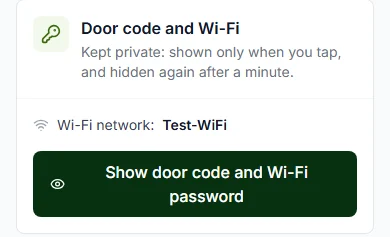
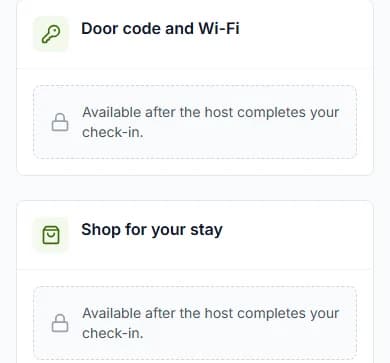
Step 3: Press "Show door code and Wi-Fi password".
Step 4: Press "Copy" next to what you need.
Then paste it where you need it, like your phone’s Wi-Fi settings.
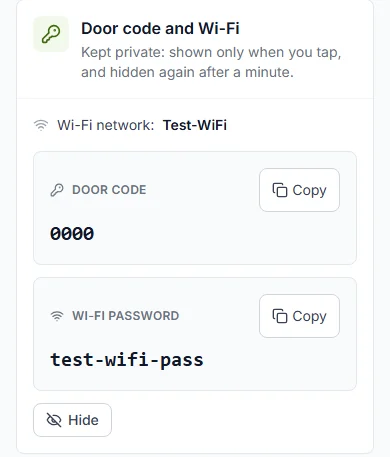
Step 5: Press "Hide" when you are done.
Or wait one minute. The codes hide by themselves.
Do it now
When can I see them?
Say your check-out time is 11:00 (11 in the morning). Then the codes go by 13:00 (1 in the afternoon).
- The Wi-Fi network name shows once your booking is confirmed.
- The door code and Wi-Fi password show once your host checks you in.
- They stay until your host confirms your check-out.
- They go 2 hours after check-out time at the latest.
We never email your codes
For your safety, codes are never sent by email or text message. They are only on your stay page.
Messages you might see
| The message | What to do |
|---|---|
| The message"Your door code and Wi-Fi password appear here once your host completes your check-in." | What to doWait for your host to check you in. |
| The message"Your stay has been checked out, so the door code and Wi-Fi password are no longer shown." | What to doYour stay is over. Press "Message [host name]" if you need help. |
| The message"The door code and Wi-Fi password cannot be shown at the moment. Please message your host, who can give them to you." | What to doPress "Message [host name]" on your stay page. |
| The message"Your host has not added a door code or Wi-Fi password. Message them if you need one." | What to doPress "Message [host name]" on your stay page. |
Questions people ask
Why did my code disappear?
It hides after one minute to keep it safe. Press "Show door code and Wi-Fi password" again.
Can I see the code before I arrive?
No. You see it once your host approves your check-in.
Will you text or email me the code?
No, never. The codes are only on your stay page.
Read next
- During your stayHow to check in when you arriveWhen you get there, press "I have arrived". Your host gives you the keys, then checks you in.
- Leaving and your caution depositHow to check outBefore you go, press "I am leaving". Your host checks the home and finishes your stay.
- During your stayHow to ask your host for help during your stayNeed towels, cleaning or a fix? Pick what you need, write a note and send it to your host.
More about during your stay
Still stuck?
Tell us what happened. If you have a booking number, add it. Our team will help.
Contact usLast updated