Getting bookable
How to sell stay extras to your guests
The short answer
Add things guests can buy while they stay, like water or breakfast. Tick which homes sell them.
Step by step
Step 1: Open "Stay Extras" in the seller menu.
It is under "LISTINGS". The page says "Things your guests can buy during a stay".
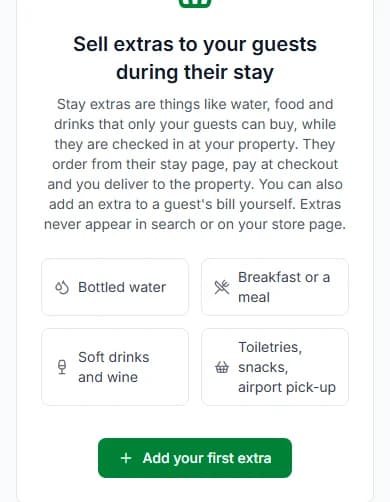
Step 2: Press "Add your first extra".
Once you have one, the button says "Add an extra".
Step 3: Add a "Photo", a "Name" and a "Price (₦)".
The price is what a guest pays for one. Add a "Description (optional)" too, if you like.
Step 4: Choose how to count your stock.
Pick "Track how many I have" and type how many you have. Or pick "In stock".
Step 5: Tick your short lets under "Where guests can buy it".
Guests at a ticked home can order it while they are checked in.
Step 6: Keep "On sale to guests" on, then press "Add extra".
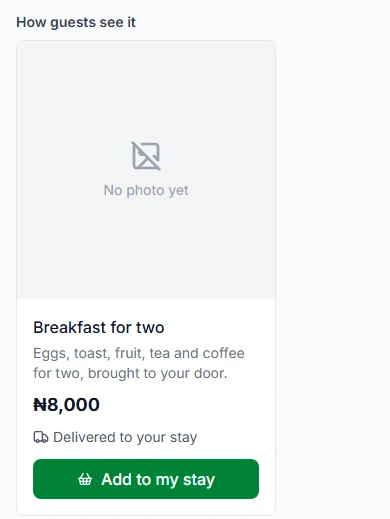
Look at "How guests see it" first. It shows your extra the way guests see it.
Do it now
What happens next
- Your extra goes live at once.
- A new photo waits for our team to approve it.
- Only checked-in guests at a ticked home can see it.
- Extras never show in search or on your listing pages.
Keep your stock right
Orders do not lower your stock number. Update it yourself when you restock or run out.
Bringing extras to the home
Delivery to the stay is free for the guest. You bring the extra to the home.
Ideas to sell
The Stay Extras page gives these ideas:
- Bottled water
- Breakfast or a meal
- Soft drinks and wine
- Toiletries
- Snacks
- Airport pick-up
Hide an extra, or show it again
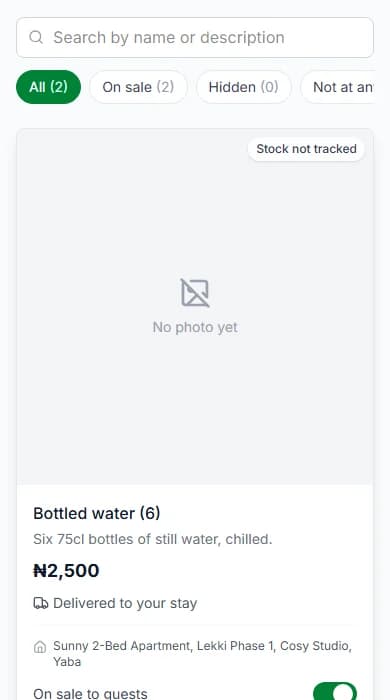
Your list has three tabs: "On sale", "Hidden" and "Not at any property".
Use the switch to move an extra between "On sale to guests" and "Hidden from guests".
Limits
- You can have up to 200 extras in your store.
- You set up extras on the Cabans website.
Questions people ask
Do extras need approval?
No. Extras go live at once. Only a new photo waits for approval.
Who brings the extra to the guest?
You do. Delivery is free for the guest.
Can guests see extras before they arrive?
No. Only guests who are checked in at a ticked home see them.
Can I bill a guest for extras they used?
Yes. Use "Bill the guest" on the booking. See how to answer guest requests and bill extras.
Read next
- Arrival and the stayHow to answer guest requests and bill extrasGuests can ask you for things. Press "Start", then "Mark as done". If they used extras, send them a bill.
- Getting bookableHow to add house rules, arrival steps, door code and Wi-FiWrite your house rules and arrival steps once. Guests see them when their booking is confirmed. They see the codes only after you check them in.
More about getting bookable
- How to make your short let bookable onlineSet your home as a "Short Let". Give it a night price. Then tick "Take bookings online".
- How to set night prices for busy days and seasonsYour listing price is your normal night price. You can set a different price for some dates, or for one day.
- How to offer longer-stay discounts and free nightsGive guests a discount, or a free night, for staying longer. They get the one that saves them more, never both.
- How to choose your free-cancellation timePick how long before check-in guests can cancel for free. After that time, they cannot cancel.
More on Cabans
Still stuck?
Tell us what happened. If you have a booking number, add it. Our team will help.
Contact usLast updated