For Nigerian serviced apartments, guest houses and small hotels
Free serviced apartment booking system
Sell by the unit: each apartment or room has its own listing and calendar. Take online bookings, organise check-in and give your team one place to handle the stay. You operate the accommodation; Cabans provides the marketplace and booking tools.
One listing per independently bookable unit
The listing flow creates one listing with one default unit. For several apartments or rooms, repeat that flow and use a distinct name, photos, nightly price and availability for each. Describe shared kitchens, bathrooms and common areas clearly. A whole-building listing should only be offered when the guest really books the whole building.
This suits an operator who can promise a particular unit for particular dates. Cabans does not hold a pool of interchangeable rooms, assign room numbers after booking or move reservations automatically between units. If your reception relies on those functions, include them in your wider software requirements before choosing a system.
For the room-by-room setup, read the guest house booking guide. For the full operational checklist, use small hotel management software: what you need. Running a single short let rather than several units? See free short-let management software.
From booking problems to a clear stay record
A calendar for each bookable unit
Problem: A paper diary cannot tell a guest which particular apartment or room is free.
Cabans feature: Create a separate Short Let listing for each independently bookable unit. Each has its own availability, nightly prices and booking rules. Bookings are on by default; review and save each calendar before sharing its listing.
Result: Guests choose dates for the actual unit you advertised. Keep outside bookings blocked manually: Cabans has no calendar sync.
Open and close dates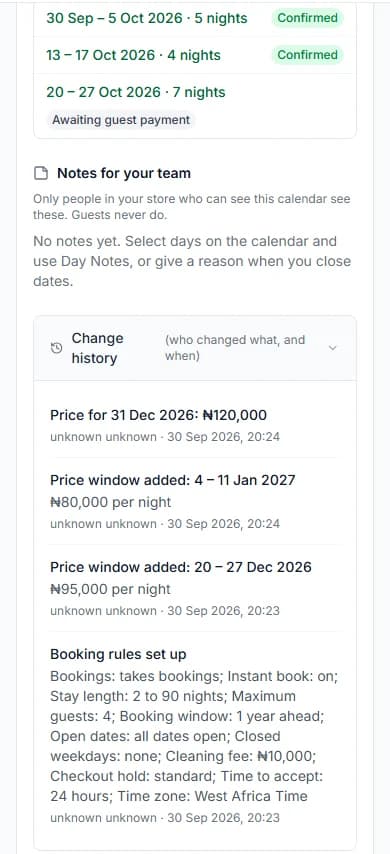
Online payment and a clear booking answer
Problem: Transfer screenshots and phone promises leave your team unsure whether a stay is confirmed.
Cabans feature: Guests pay online through Paystack when they book. Paystack's fee is paid by the guest. With instant book on, paid bookings confirm straight away; otherwise you accept or decline a paid request within your answer time.
Result: Your team works from the booking status. You are paid after the stay; the payment and payout help explains the terms. Free software does not mean booking payments have no charges.
Read how booking money works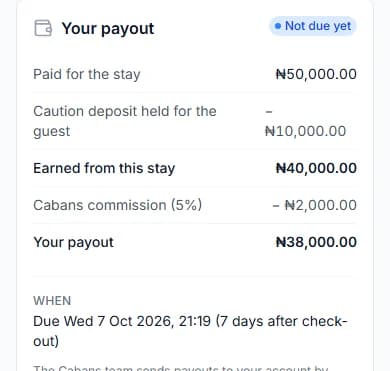
One Bookings page across your units
Problem: Different notebooks for different rooms make arrivals and unanswered requests easy to miss.
Cabans feature: Your store's Bookings page has Requests, Upcoming, Arriving, In house, Leaving, Past and Cancelled tabs. Select one unit in the Property filter or leave All properties selected.
Result: Reception can review the whole operation and then open the right stay. Deposits are handled on the booking, including finished stays that still need attention.
Use the Bookings page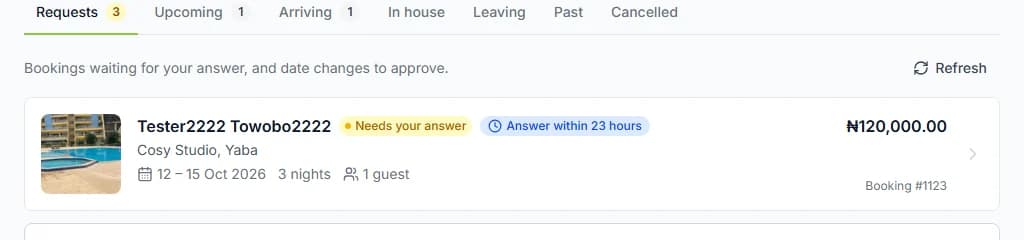
Check-in information written once per unit
Problem: Repeating arrival instructions by message creates gaps, and sending door codes too early creates avoidable risk.
Cabans feature: Save house rules, check-in instructions and the Wi-Fi network name in Stay information. Those appear from confirmation. The door code and Wi-Fi password appear only while the guest is checked in, and are never emailed.
Result: Guests see the right information at the right stage. Your team still prepares the unit, hands over access and approves check-in.
Set up stay information and codes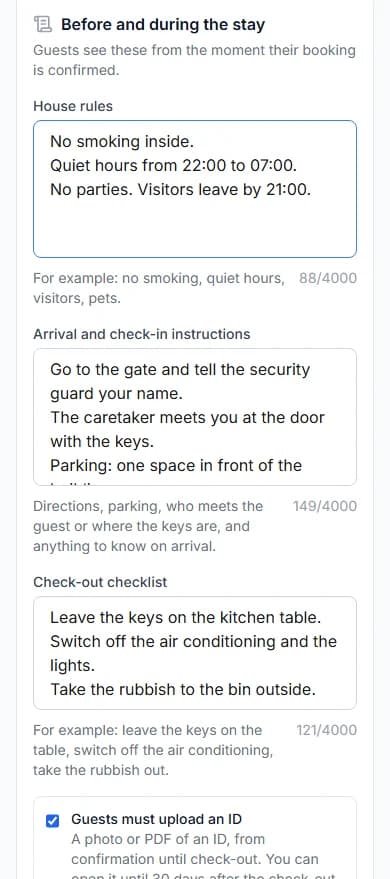
Guest requests your team can act on
Problem: A request for towels or help can disappear between a phone call and a shift change.
Cabans feature: Guests use their stay page to request room service, a cleaner, help or an issue response. Your team receives an email for each request and can press Start, then Mark as done.
Result: A request has a visible status against its stay. You arrange and deliver the service; a cleaner request is not a housekeeping rota.
Handle guest requests and bills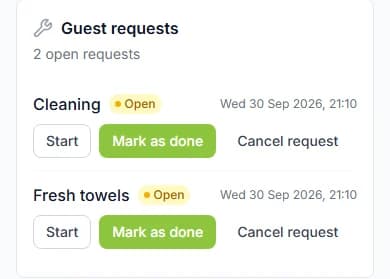
Stay extras and Bill the guest
Problem: Breakfast, bottled water or an airport pick-up can be delivered without a clear record of what the guest owes.
Cabans feature: Add stay extras and choose the units that offer them. Checked-in guests can buy from their stay page. For extras they used, choose quantities in Bill the guest and send a bill for online payment.
Result: The stay carries the request for payment. Your team agrees what is offered, delivers it and checks whether the bill has been paid. This is not a restaurant POS or stock-control system.
Set up stay extras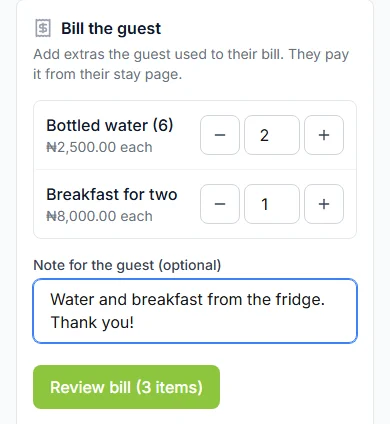
Caution deposits with a condition record
Problem: A disagreement about damage is harder to resolve when neither side has a useful record.
Cabans feature: Set a caution deposit on the listing, add check-in and check-out condition photos, and release the deposit after checking the unit. If you raise a dispute, the Cabans team considers the evidence and decides.
Result: Your team follows a defined deposit process rather than negotiating an undocumented deduction. Photos should show the actual condition, not an assumed cause of damage.
Release or dispute a deposit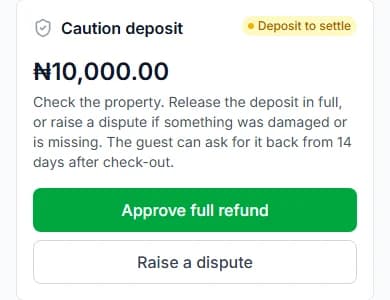
Team users with roles
Problem: Sharing the owner's sign-in makes it hard to control who can change a booking.
Cabans feature: Add team users to the store and assign roles. Read access lets a role see bookings and calendars; processing access also permits booking actions, calendar changes, check-in and access to door codes.
Result: Each person signs in with their own account and works within the role you assign. Review the full permission table: read access also includes information such as Earnings, so do not assume it hides money.
Choose team permissions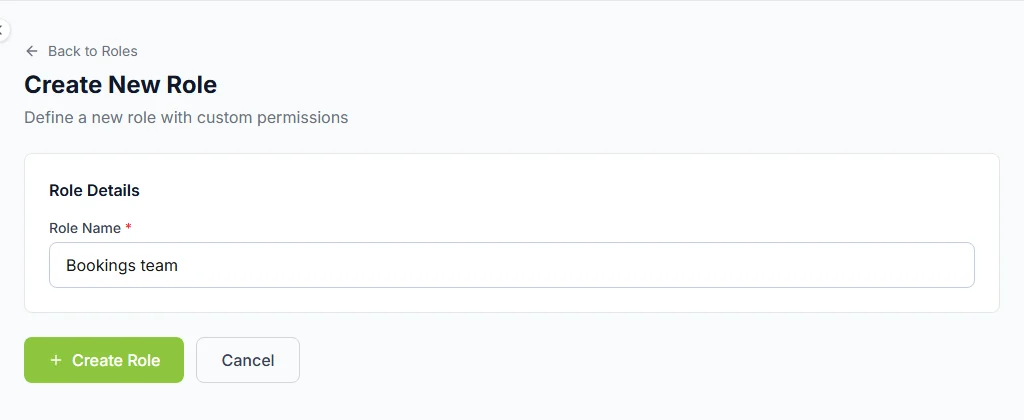
What it does not do
Cabans is not a hotel PMS. There is no POS, housekeeping rota, channel manager, iCal or calendar sync. When you accept a stay elsewhere, close those dates on Cabans yourself. Your team still organises cleaning, maintenance, supplies and physical access.
Read what a channel manager does if you sell the same accommodation through several channels. A store page uses Cabans' design and address, with your business name in the link; it has no custom domain. The small-hotel booking website guide explains that journey.
Set up your first unit, then repeat
1. Define the unit you sell
Choose the apartment or room a guest books exclusively. Give it a clear name, actual photos, accurate facilities and a description of any shared spaces.
2. Create a separate Short Let listing for that unit
Start at List your property, select Short Let and enter that unit's details. Repeat the listing flow for each additional independently bookable unit.
3. Review the unit calendar and stay information
Close unavailable dates, review nightly prices and booking rules, then save. Add the unit's check-in instructions before inviting guests to book.
4. Prepare the team and share your listings
Assign team roles, agree who answers requests and checks guests in, then share the store page or the individual unit listing.
Ready to begin? Add an accurately described unit, then work through its booking calendar before sharing it.
Guides for your operation
A guest house booking system, room by room
Move from a paper diary to separate unit listings and calendars.
Small hotel management software: what you need
Check bookings, guest care and the operational tools you still need.
A hotel booking website for a small operator
Use a store page with your business name in the link, leading to each unit.
What a channel manager does
Understand distribution, hotel PMS systems and Cabans' limits.
List your serviced apartments in Nigeria
The guest-facing serviced-apartment guide, with an operator section.
Serviced apartment vs hotel
How the guest experience differs, and what operators should explain.
Frequently asked questions
Is the serviced apartment booking system free?
The software and listings are free. Booking payment charges still apply; read how booking money works before taking payments. Cabans is the marketplace and the tool you use, while you or your team operate the property.
How do I list several apartments or rooms?
Create a separate Short Let listing for each independently bookable apartment or room, with its own photos, availability and stay information. Repeat the listing flow for each unit. The Bookings page can show one property or all properties in your store. There is no room-type inventory pool or automatic room allocation.
Is Cabans a hotel PMS or channel manager?
No. It covers unit listings, online bookings, payments, check-in details, guest requests, extras, deposits and team roles. It has no hotel POS, housekeeping rotas, channel manager, iCal or calendar sync. Manage outside bookings and the rest of your operation separately.
Can a small guest house use it?
It can fit a guest house that sells each room as an individually described and independently bookable unit. It does not take a booking for a generic room type and assign a room later. Check that the listing accurately represents what the guest will get.
When do guests see the door code and Wi-Fi password?
Only while they are checked in, and never by email. House rules, check-in instructions and the Wi-Fi network name are available from confirmation.
Does a cleaner request create a housekeeping rota?
No. It creates a guest request against that stay and emails your team. You still decide who does the work, arrange shift cover and confirm that the unit is ready.
Bring each unit onto one booking workflow
Start with a unit you can describe and keep ready for guests. Add the other units with their own calendars when your team is ready to manage them.
List your serviced apartment or room